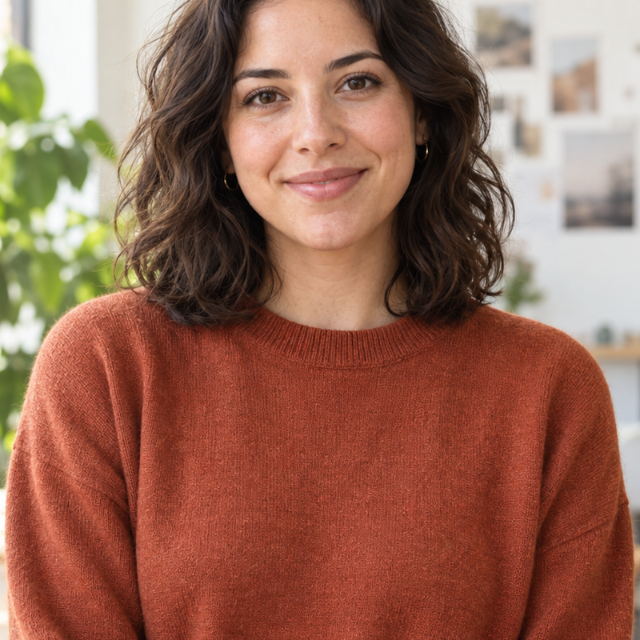
Fit · full photo
640 × 640 pixels
Download this example ↓Batch resize up to 20 JPG, PNG or WebP images, or resize one photo. Set a width or height to keep each aspect ratio, or choose a fixed frame with padding or a center crop. Compare the result and download the dimensions you need.
Width or height keeps proportions; fill frame crops from the center. Enlarging cannot restore detail. Pixel dimensions do not set the KB size.
Or drop JPG, PNG or WebP here. Up to 20 images, 10 MB each.
Original photos stay intact. Images are processed in your browser.This source is 1200 × 800 pixels. Compare fitting the complete photo into a square, cropping to fill it, and changing only its width.
The images below are lightweight previews. Download the files to compare full-size detail and the measured file sizes.
640 × 640 pixels
Download this example ↓
640 × 640 pixels
Download this example ↓
640 × 427 pixels
Download this example ↓| Method | 1200 × 800 original | Result |
|---|---|---|
| By width: 640 px | Height is calculated automatically | 640 × 427, rounded to whole pixels. No intentional crop or frame padding. |
| By height: 400 px | Width is calculated automatically | 600 × 400. Each image in a batch keeps its own proportions. |
| Fit inside: 640 × 640 | The full photo fits inside the square | A 640 × 640 file with space above and below the photo. |
| Fill frame: 640 × 640 | The square is filled from the center | A 640 × 640 file with the left and right sides cropped. |
Yes. Choose By width, enter a width and let the tool calculate the height for each image. By height works the same way. A mixed portrait and landscape batch will keep different proportions.
Fit keeps the full photograph inside the chosen frame and adds padding where needed. Fill covers the frame and crops the excess from the center. Neither option stretches the photo.
The frame and original have different aspect ratios. Fit adds space rather than cutting off the picture. PNG and WebP keep that space transparent; JPG fills it with your chosen color. Choose fill if a center crop is acceptable.
No. Enlarging creates more pixels by interpolation; it cannot recover missing texture or make a blurry source sharp. Start with the largest clear original you have.
No. Dimensions and file size measure different things. Format, content and quality also affect bytes. If an upload has a KB limit, set the maximum file size as well or use the image compressor.
Yes. Use a fixed frame to give them matching dimensions, or size by one edge to preserve each original ratio. Review the crops individually. Up to 20 images can be processed together, subject to the file and device limits below.
Have a file-size limit as well? Compress to a KB target. For a different file type, use the image converter.
For a consistent product catalog, prepare product photos for Shopify or follow the collection consistency guide. To isolate the subject, start with batch background removal.